Slay the Princess Demo









Slay the Princess Demo: Free Psychological Horror Visual Novel With Multiple Endings
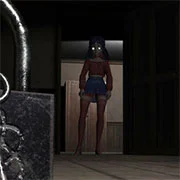
Slay the Princess Demo is a psychological horror visual novel that drops players into a strange forest with a single, unsettling task—kill the princess locked in the cabin below. The free demo offers seven distinct endings and roughly 1.5 to 2 hours of gameplay for those chasing 100% completion.
The premise sounds simple. It isn’t. A narrator insists the woman in the basement will end the world if she’s allowed to live, but the princess herself has other ideas about who you are and why you’re really there. Every choice reshapes the story, and the cast of voices in your head won’t agree on much.
What Makes the Demo Stand Out
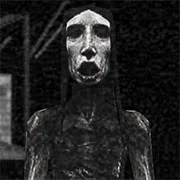
The hand-drawn black-and-white art style does a lot of heavy lifting here. Faces shift mid-conversation. The princess’s appearance changes based on how players treat her. It’s the kind of visual decision that feels intentional rather than stylistic filler.
Voice acting holds the whole thing together. The narrator’s calm delivery clashes with the chaos players actually walk into, and the princess shifts tone depending on the path taken. Some encounters turn tender. Others turn violent fast.
Branching Choices and Replay Value
Seven endings in a demo is generous. Each one requires meaningfully different decisions—not just dialogue flavor, but full structural changes to the story. Players who rush through one path will miss entire characters and locations that only appear on others.
The 1.5 to 2 hour estimate assumes players want to see everything. A single playthrough runs much shorter, which makes the demo easy to revisit between sessions.
Should get the Full Game
If the demo lands, the full release is worth tracking. Get it here. The branching structure scales up considerably, and the demo functions more as a proof of concept than a vertical slice. Players who enjoy the writing here will likely find more of what they came for.
Game Controls
- Mouse — click to select dialogue options and progress text
- Spacebar or Enter — advance dialogue
- Esc — open menu
As always, remember to have fun!