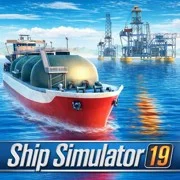
Ship Simulator 19










Ship Simulator 19: Authentic Maritime Simulation Game
Ship Simulator 19 is a realistic maritime simulation game where players captain massive commercial vessels across the Mediterranean Sea. This browser-based experience challenges you to transport cargo and passengers between port cities while managing heavy ship mechanics.
Navigating the Mediterranean
The open-world map drops players straight into European waters. Sailing between famous port cities isn’t just a straight line from point A to point B. The weather shifts unexpectedly. Day turns into night during long hauls, requiring constant attention to your heading and speed. The water reflections and authentic engine noises carry more weight than you’d expect for a web game. It actually feels grounded.
Expanding Your Fleet
You take command of three main vessel classes. Hauling goods requires massive cargo carriers and oil tankers, while passenger transport puts you at the helm of luxury cruise liners. Each model includes multiple camera angles, deck views, and realistic interiors to help with visibility during tricky maneuvers.
Completing runs earns rewards to expand your operations. Progression lets you unlock larger, more powerful ships as the jobs get harder. Customization is also an option—you can change hull colors, swap out flags, and rename vessels to build a distinct shipping line.
Heavy Ship Mechanics
Controlling these floating giants takes patience. Players have to manage engine power and constantly compensate for extreme momentum. Docking is easily the most difficult part of the job. Tight port scenarios force you to use independent front and rear rotation controls to slide thousands of tons of steel into place without crashing. The game runs entirely via HTML5, handling the controls surprisingly well on both desktop keyboards and mobile touchscreens.
Game Controls
PC Controls
- W / Up Arrow: Increase power
- S / Down Arrow: Decrease power
- A / Left Arrow: Turn left
- D / Right Arrow: Turn right
- Shift + A/D or Arrow Keys: Rotate front
- Ctrl + A/D or Arrow Keys: Rotate back
- H: Horn
- C: Change camera
- R: Radio
- B: Boost
- F: Set sail
- ESC: Pause
- Mouse: Interact with UI
Mobile Controls
- Use the on-screen touch interfaces for steering, power management, and UI interaction.
As always, remember to have fun!