Digging Simulator: Hole Craft























Digging Simulator: Hole Craft – Mining and Drilling Game
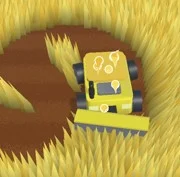
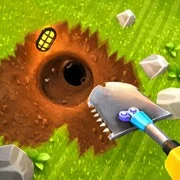
Digging Simulator: Hole Craft is an arcade mining game where players drill through earth blocks, collect valuable ore, and sell it to upgrade their equipment. The loop is simple: dig deeper, earn more, and build a stronger machine.
The game starts you off with a basic drill and a patch of ground. Break the blocks beneath you, grab whatever resources turn up, and haul them back to base. Selling your haul earns money, and money feeds straight back into upgrades. That cycle carries the whole experience—and it works.
Upgrades That Actually Matter
Your drill can be improved in three main ways: speed, carrying capacity, and crushing power. Each upgrade has a noticeable effect on how fast you progress, which keeps the grind from feeling pointless. A stronger drill chews through blocks that used to slow you down.
Beyond the drill itself, players can expand the base and set up automated income. Passive earnings stack with active digging, so the deeper you go, the faster everything snowballs.
What’s Buried Down There
The earth in Hole Craft is layered. Near the surface you’ll find common ore, but gold and rare minerals wait further down. Each new layer comes with its own look and design, which gives you a reason to keep pushing past the depth you already know.
Some finds are worth far more than others. Learning which resources to prioritize is half the strategy.
Why It’s Easy to Lose Time In
This is a relaxed game at heart. No timers breathing down your neck, no fail states to stress over. Just dig, collect, sell, upgrade, repeat. It’s the kind of arcade game that fills ten minutes or two hours without you noticing the difference.
The auto-dig feature helps here too. Switch it on and your machine keeps working while you plan your next upgrade. There’s also a radar to help locate valuable deposits instead of digging blind.
Game Controls
Keyboard:
- WASD – move
- Left mouse button – dig, collect, interact
- Space – jump
- P – pause
- R – auto-dig
- T – radar
Touchscreen:
- Swipe on the left side – move character
- Hand button – dig, pick up, action
As always, remember to have fun!