Crush the Castle: Siege Master














Crush the Castle: Siege Master – Physics Destruction Game
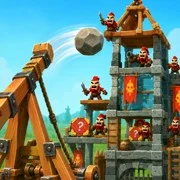
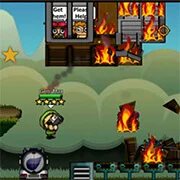
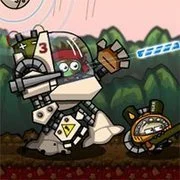
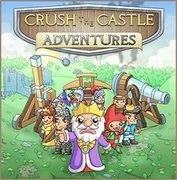
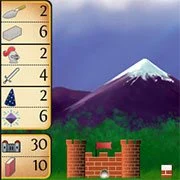
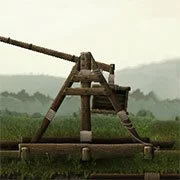
Crush the Castle: Siege Master is a physics-based siege puzzle game where players fire a trebuchet at enemy castles, knock them down, and take out the defenders hiding inside. It runs free in your browser on both desktop and mobile, no download needed.
The setup is simple. The king sold off the royal army—a bad call—and now the entire kingdom depends on one trebuchet and the player operating it. Enemy strongholds are scattered across green hills, deserts, and other regions, and your job is to flatten every one of them.
How the Gameplay Works
Every level drops a different castle in front of you. Different layouts, different weak points, different defenders. You time the trebuchet swing, release at the right moment, and watch the projectile slam into the structure. The physics engine handles the rest.
And that physics engine is the whole point. Hit a tower in the right spot and the collapse can chain into other sections, dropping an entire fortress with a single throw. Hit it in the wrong spot and you’ve wasted a shot. Crush the Castle: Siege Master scores you on efficiency—fewer launches means better rewards—so just causing damage isn’t enough. You need to clear out every enemy inside the walls too.
That’s where the puzzle side kicks in. Some castles practically beg you to find the one load-bearing point that brings everything down. Others make you work for it.
Unlockable Ammunition
Boulders get the job done early on, but the campaign keeps handing you better tools. Giant hooks, explosive missiles, and other specialized siege projectiles unlock as you progress, and each one changes how you approach a level. A castle that shrugs off stones might fall apart fast against explosives.
With hundreds of enemies and fortifications that keep getting more complicated, there’s plenty of room to experiment. Watching a massive tower crumble doesn’t really get old.
Game Controls
PC:
- Left Mouse Click – Start trebuchet swing / launch projectile
- Mouse Wheel Up / Down – Zoom camera in or out
- + / – – Zoom camera in or out
- W / S – Zoom camera in or out
- A / D – Pan camera left or right
- Left / Right Arrow – Pan camera left or right
- Up / Down Arrow – Pan camera up or down
Level Select / World Map:
- Mouse Wheel – Scroll map
- A / D or Left / Right Arrow – Move through map locations
Shop:
- Mouse Wheel – Scroll shop items
- A / D or Left / Right Arrow – Scroll shop left or right
Mobile / Tablet:
- Tap – Start trebuchet swing / launch projectile
- Drag – Move camera
- Pinch – Zoom camera in or out
As always, remember to have fun!