BlockCraft












BlockCraft – Build a Blocky World in Your Browser
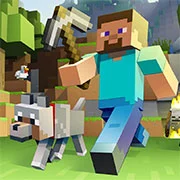
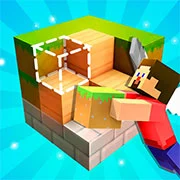
In BlockCraft you break blocks, stack them into houses, and dig tunnels underground. It’s a voxel sandbox that runs in your browser.
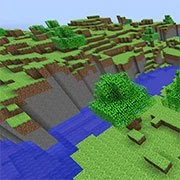
The whole world is made of blocks, and every one of them can be removed or replaced. Knock a hole in a hillside and it stays a hole. Bridge a river, hollow out a cave, put a palace on top of a mountain. Nobody sets a goal for you.
A World With More Than Twenty Biomes
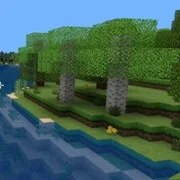
The map is big and it changes as you walk. Oak and birch forests give way to deserts full of cactus, then snowy peaks, jungles, swamps, acacia savannas, and badlands. Ores sit buried under all of it, so most of your digging happens in the dark. Glowstone is what lights the deeper mines up.
Night changes the mood more than you’d expect from a block game. The day and night cycle keeps running while you build, so a project you started in daylight often finishes under a dark sky.
What You Can Do in BlockCraft
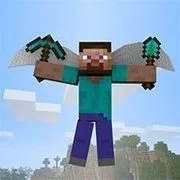
Water flows instead of sitting still, so digging next to a lake has consequences. TNT sets off chain reactions, which is the fastest way to clear ground and the fastest way to ruin something you spent an hour on. You can sprint to cross a biome quickly, and you can switch to flight to get a view of the whole build. Flying is also the easiest way to place blocks high up without stacking dirt under yourself.
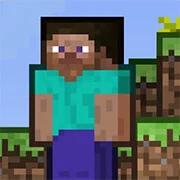
It plays a lot like Minecraft, down to the hotbar and the inventory grid. If you know that game, you already know this one.
Can You Play BlockCraft on a Phone?
Yes. Touch controls are built in, with a joystick on the left and a jump button on the right. There’s no install and no registration on phone or computer, so BlockCraft in your browser starts the moment the page loads.
Game Controls
- WASD to move
- Mouse to look around
- Left click to break a block, right click to place one
- Space to jump, double-tap Space to fly
- E to open the inventory
- Number keys 1 to 9 or the mouse wheel to pick a block
- On touch: joystick to move, swipe to look around, tap to place a block
- On touch: press and hold to break a block, then slide to break several in a row
- On touch: double-tap the jump button to fly, and a descend button appears next to it
As always, remember to have fun!