Portal Master











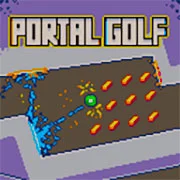

Portal Master: Free Online Portal Puzzle Platformer Game
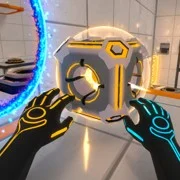
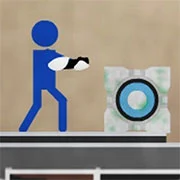
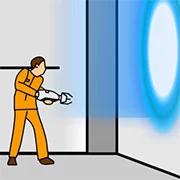
Portal Master is a puzzle-platformer that drops players into a series of levels built around portal placement, precise movement, and reflex-driven problem solving. The game asks one simple question on every stage: can you think faster than the traps around you?
What Portal Master Is About
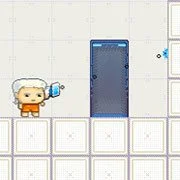
The core idea is straightforward. You place two portals, link them, and use the connection to move past obstacles that would otherwise block your path. Spikes, pits, gaps, hazards — they all stand between you and the exit. Portals are the answer to most of them.
What makes it click is the freedom. Portals can go almost anywhere on the map, so the route through a level isn’t fixed. Two players might solve the same stage in completely different ways. That kind of flexibility keeps the puzzles from feeling repetitive.
Gameplay and Difficulty Curve
Early levels ease players in. Place a portal here, another one over there, walk through, done. Then the design starts pulling tricks. Moving hazards. Tight timing windows. Stages where one wrong portal placement sends you straight into a pit.
The difficulty climbs steadily rather than spiking. By the later stages, you’re juggling reflex-heavy platforming with puzzles that genuinely require a moment to think. Some levels reward patience. Others reward instinct. Knowing which is which is half the challenge.
Movement matters as much as portal logic. Jumping, dodging, and timing your dashes between portals all factor into clean runs. It’s not just a thinking game — your hands have to keep up too.
Why It Works
Puzzle platformers live or die on level design, and Portal Master leans hard into variety. No two levels feel like reskins of each other. Some are pure puzzle. Others are obstacle gauntlets dressed up with portal mechanics. The mix keeps things fresh longer than you’d expect from a browser game.
And the satisfaction of nailing a tough level on the first try? Hard to beat.
Game Controls
On PC:
- Left mouse button — place the first portal
- Right mouse button — place the second portal
- WASD — movement
- Spacebar — jump
On mobile:
- Tap the screen to place a portal
- Two on-screen buttons for the two different portals
- Joystick for movement
- Separate button to jump
As always, remember to have fun!